Description
FIFINE T683: a microphone kit that includes the parts people usually buy later
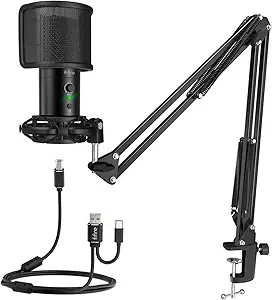
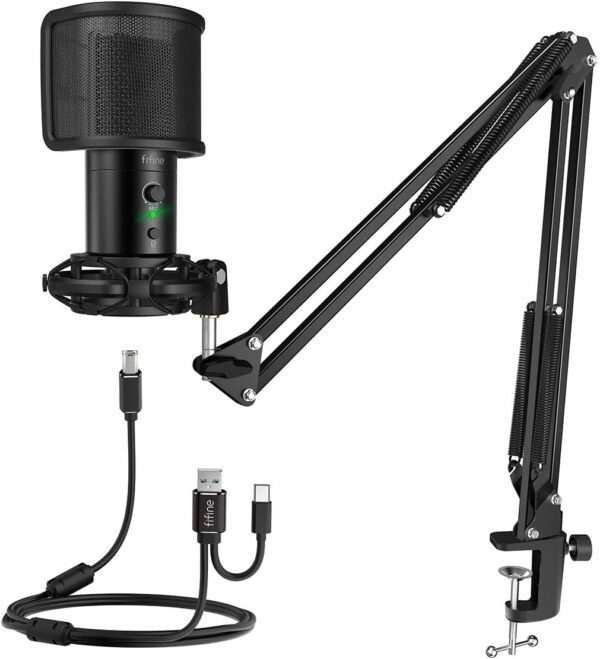
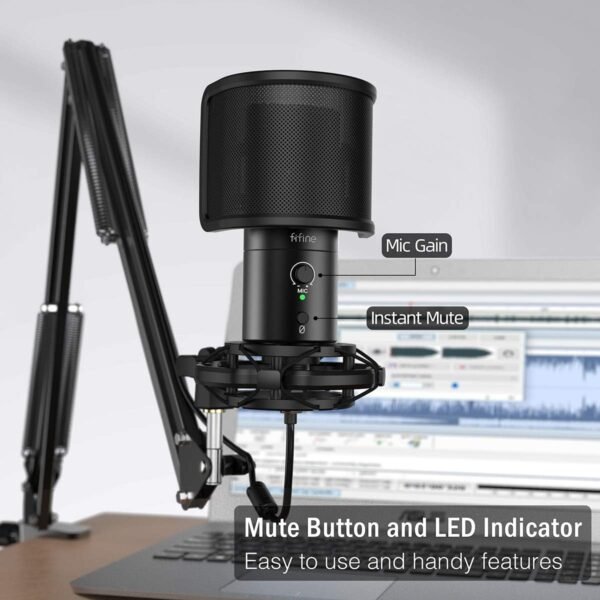
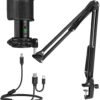
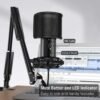
The FIFINE T683 is a USB condenser microphone sold as a complete kit rather than as a bare microphone. FIFINE includes an arm stand, and builds a mute button, a gain control, an LED indicator and a headphone jack for real time monitoring into the microphone itself. The listing specifies a metal construction, a signal to noise ratio of 75 dB, USB C and USB A connectivity, and compatibility with Mac, Windows PC, laptops and PlayStation. Packaged weight is listed at 2.2 pounds.
The kit approach is the point. Anyone who buys a bare USB microphone typically discovers within a week that they also need a boom arm, because a desk stand transmits every keyboard tap and mouse click into the recording, and that they want a hardware mute button, because muting in software means leaving whatever application is in use. Bundling those parts removes two purchases and two compatibility questions. A bare microphone such as the FIFINE K669B from the same manufacturer covers the same basic job at lower cost, without any of the surrounding hardware.
Monitoring, gain and mute
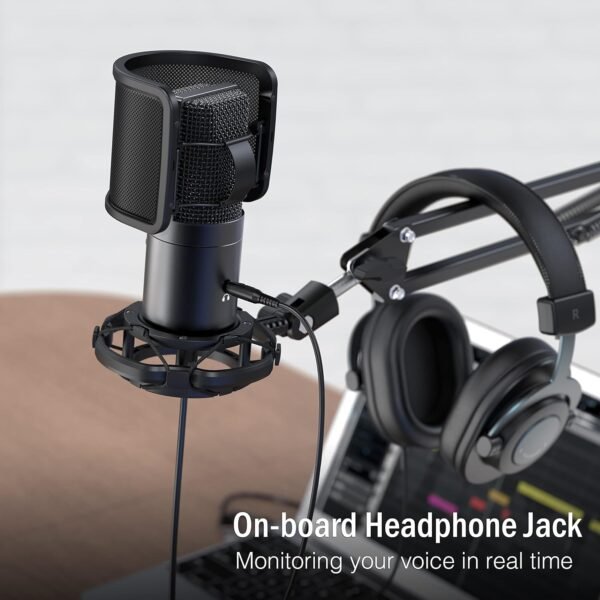
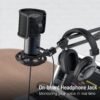
The headphone jack on the microphone body is the feature most worth understanding. It provides real time monitoring, meaning the voice is heard directly from the microphone rather than after a round trip through the computer. That round trip introduces a delay, and hearing your own voice delayed by even a few tens of milliseconds is genuinely disorienting to speak through. Direct monitoring removes the delay entirely, which matters for anyone recording long sessions or performing live.
The gain control sets how much signal the microphone sends before it reaches the computer. Setting it correctly at the hardware stage produces a cleaner result than recording quietly and amplifying afterward, because amplifying in software raises the noise floor along with the voice. An LED indicator gives visual confirmation of the state, which on a streaming setup means knowing at a glance whether the microphone is live.
The mute button is the least glamorous feature and possibly the most used. A physical control that cuts the microphone at once, without switching windows, is what allows a cough, a doorbell or a household interruption to stay off a recording or a call.
The arm stand
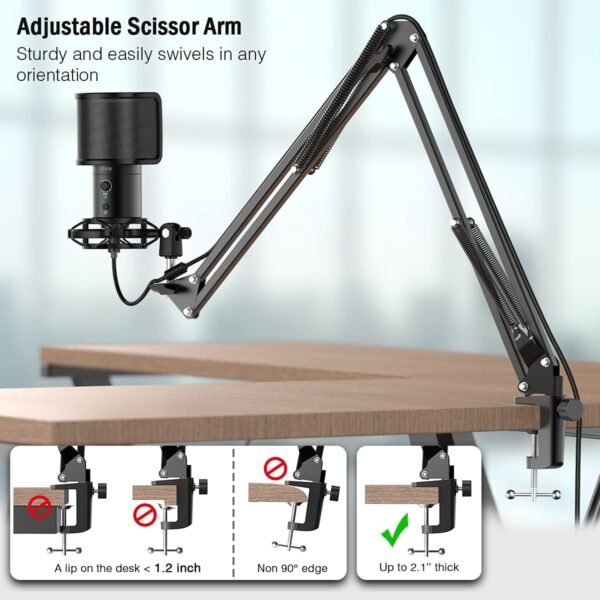
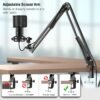
A boom arm does two things. It positions the microphone close to the mouth, which improves the ratio of voice to room sound more effectively than any processing, and it isolates the microphone from the desk surface so that typing and knocks do not transmit up the stand. Both matter more in untreated rooms, which is where almost all of these microphones are used.
The arm also clears desk space, which is the practical benefit most owners notice first. The listed package dimensions of roughly 16 by 10 by 3 inches describe the boxed kit rather than the assembled setup, and buyers should check that their desk has a suitable edge for a clamp before ordering, since not all desks do.
Arm quality varies more than any other part of a kit like this, and it is where bundled hardware most often disappoints. A boom arm holds several hundred grams at the end of a lever, and a weak spring or a loose joint results in an arm that slowly droops toward the desk over a session. The metal construction listed here is a reasonable sign, though the listing gives no weight rating for the arm itself. Anyone using a heavier microphone later should check that figure before assuming the arm will carry it.
Highlights
- Complete kit with microphone, boom arm stand and cabling included.
- Hardware mute button with an LED indicator for status at a glance.
- Gain control on the microphone body for setting level before the computer.
- Headphone jack for zero delay direct monitoring.
- Metal construction with a stated 75 dB signal to noise ratio.
- USB C and USB A connectivity for current and older computers.
- Listed for Mac, Windows, laptops and PlayStation, with a 4.6 star average across more than 1,000 ratings.
Things To Consider
Boom arms need a desk they can clamp to. A clamp requires an accessible edge of suitable thickness, and desks with a thick front lip, a rounded edge or a wall mounted rear will not always take one. This is the most common reason a microphone kit ends up half assembled, and it is worth checking before ordering rather than after.
A condenser microphone on an arm is still a condenser microphone. It picks up the room, and a boom arm improves that situation without solving it. In a room with hard walls and no soft furnishings, some reflection will be audible in the recording regardless of positioning. Buyers in genuinely poor rooms should consider a dynamic microphone such as the MAONO PD100 or the Samson Q9U, which reject room sound more aggressively by design.
The USB format has the same ceiling here as anywhere. The preamplifier and converter are inside the microphone and cannot be upgraded, and the microphone cannot be connected to an interface or a mixer later. For a single person recording into a computer that is not a problem; for anyone who expects to add a second microphone or move into a studio setup, it is a dead end.
The listing describes the microphone form factor as Gooseneck, which does not match a condenser capsule mounted on a boom arm, and it publishes no frequency response, no polar pattern and no self noise figure. Polar pattern in particular is fundamental to how a microphone should be spoken into, and its absence is a genuine gap in the record.
Who it suits
The T683 suits a streamer, podcaster or content creator setting up from nothing who would rather buy one box than assemble a kit from parts, and anyone who wants hardware mute, gain and monitoring controls within reach. Console compatibility makes it a reasonable choice for game streaming as well as for computer work.
It is the wrong purchase for anyone who already owns a boom arm, for multi person recording where an interface is the better architecture, and for buyers whose room is acoustically hostile enough to need a dynamic microphone. Those buyers should compare what is available in the multipurpose microphones category, or look at the vocal microphones category for stage and broadcast designs. A portable interface style option such as the Apogee MiC Plus sits between the two approaches.